

When I started designing a modular Daily Planet, there were a few aspects and elements I knew I wanted, and one of those was to retain the art deco influence of many of the comics that featured the Planet, and that included creating a sign that was evocative of the era. I also knew that for some of the decorative element I was going to have to have tiles printed where default LEGO tiles were not available, especially given that LEGO has never produce a Daily Planet model. Fortunately for brick nerds like me there’s a tool similar to the tool I use to create the models calle Bricklink PartDesigner. If you’re a little design savvy you can create your own decorative bricks, tiles and even minifigures and export them for use in Stud.io.
Since I’ve been trying to use only readily available LEGO pieces until now I haven’t played with PartDesigner but over the past weekend I decided to create a custom set of tiles to make the front of the sign (which has been a placeholder up until now), and along the way I ran into a hiccup that may have bitten a few other people trying to do something similar.
When you design a model, if you use a piece in a color that isn’t available in the real world, Stud.io warns you by placing a small exclamation mark next to the part in the model inventory list on the right of the tool. Here’s what it looks like:
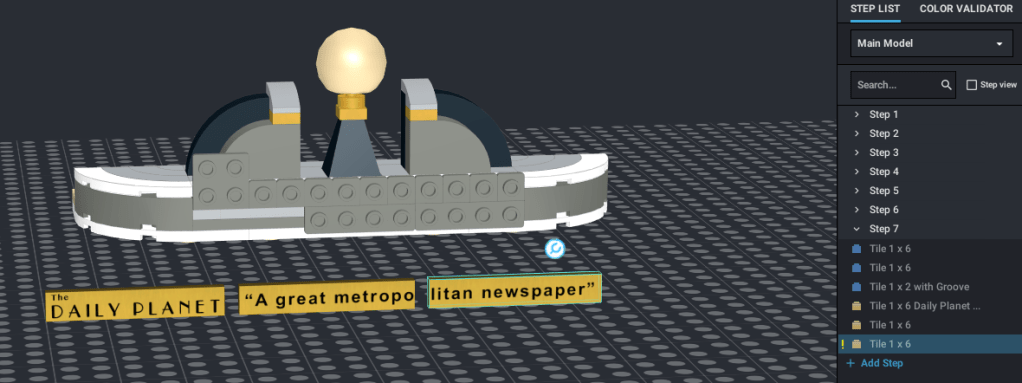
Notice on the right side the highlighted tile is marked as I’ve described. When I create the custom tiles, no matter what I tried I could not get rid of the mark, even though I know the 1×6 tile is available in metallic gold. So what gives?
To answer we need to take a quick look at how I create the new tile with the logo and tagline on it.
The first thing you have to do to create a custom tile is to make artwork in the right size. I won’t go into a whole tone of detail about this, but basically I create a graphic with the text for each tile on it in a graphical editing tool and rendered out the image as a PNG file with transparency. I made sure that it was going to have a final resolution of 150 DPI and then save it on my computer. Next you go into PartDesigner, select the part to use (in my case “6636 Tile 1 x 6”), then import the graphic you made and saved in your computer, and place it on the tile. Once you have it placed correctly, you just export the new custom piece to Stud.io. You can find the new part by clicking on the catalog selector on the left above where you select parts to use in your models. By default “Master” is selected, so just click it and select “Custom Parts” (see below). If you did everything right the new parts should be shown for use in your designs.
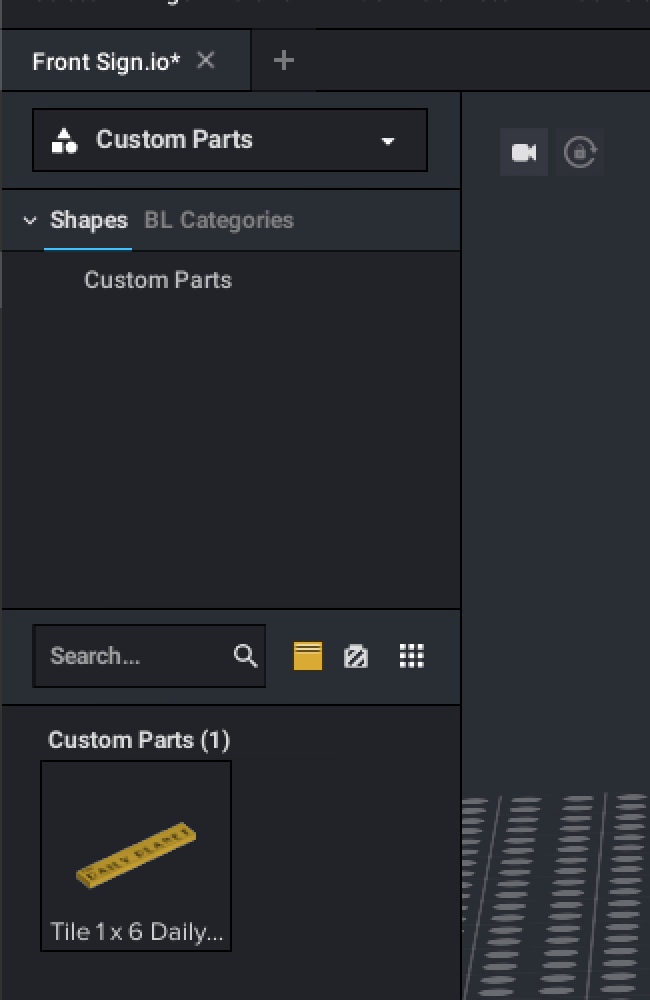
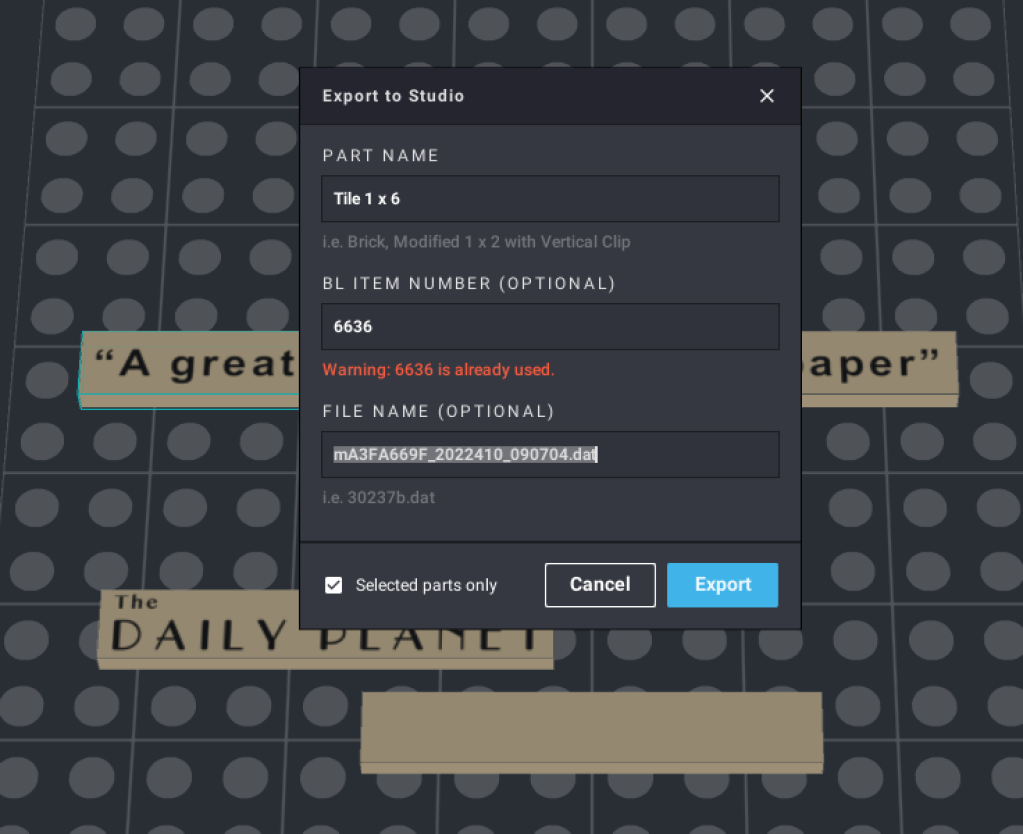
The odd part is that when you use the custom part in a model, the exclamation point will appear saying you’ve used an illegal color, and I tried to figure out why and how to fix it, to no avail. Next I used the great oracle, Google and was rewarded with a link that said all you have to do is add the part number to the custom part before exporting to Stud.io and it will show the available colors for the part your custom part is derived from. I tried as many permutations as I could before i stumbled onto the correct answer. When you start the export you’ll see the dialog below, and all you have to do is put the part number in the “BL Item Number (Optional)” field. If you tab away before saving you’ll see the warning that the part number is already used shown below. Just ignore it and export and Voila! Your part should show the available colors for the base part.
I hope this will help some poor soul like me avoid spending an hour or more trying to figure it out.
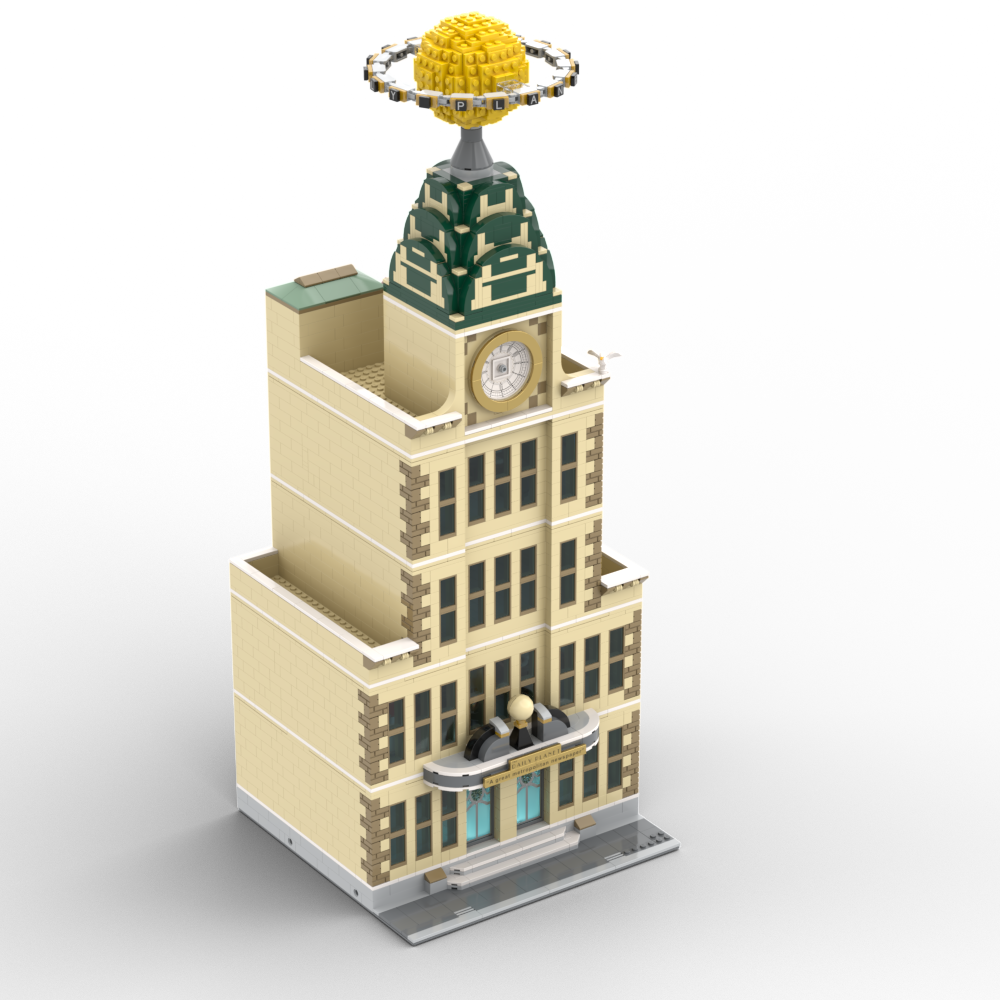
Also, since you’re around and have read this far, below are a few renderings of the final version of the sign. Oh, and about that tagline under the door – I’m sure many Superman fans will recognize the little easter egg as part of this introduction to the film that first made people believe a man could fly:
“In the decade of the 1930s, even the great city of Metropolis was not spared the ravages of the world-wide depression. In the times of fear and confusion, the job of informing the public was the responsibility of the Daily Planet, a great metropolitan newspaper, whose reputation for clarity and truth had become a symbol of hope for the city of Metropolis.” Superman: The Movie (1978)


 Things of Little Importance
Congratulations on figuring it out and making it exact! Superman would be proud!
LikeLike